
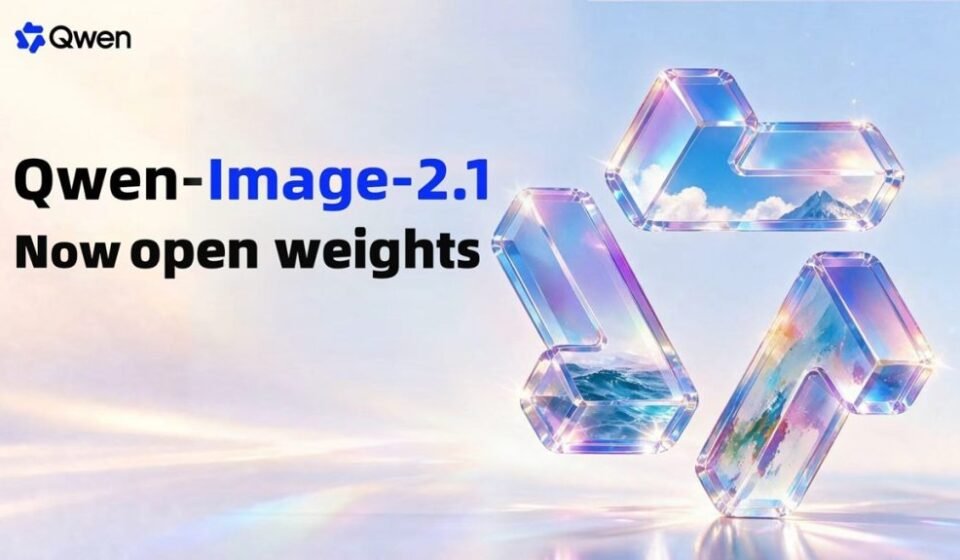

Qwen-Image-2.1 is the latest image generation and editing model from Qwen, and its biggest selling point is not simply image quality. The new model brings text-to-image generation, image editing, transparent image creation and multi-reference workflows into a single system.
Qwen has open-sourced the model with a 7B visual generation component, making it considerably more compact than the 20B-parameter Qwen-Image model that preceded it. The company says the new architecture is designed to balance image quality, inference efficiency and computational cost.
For creators, designers, developers and e-commerce teams, that combination could be more significant than another incremental improvement in image aesthetics.
What Is Qwen-Image-2.1?
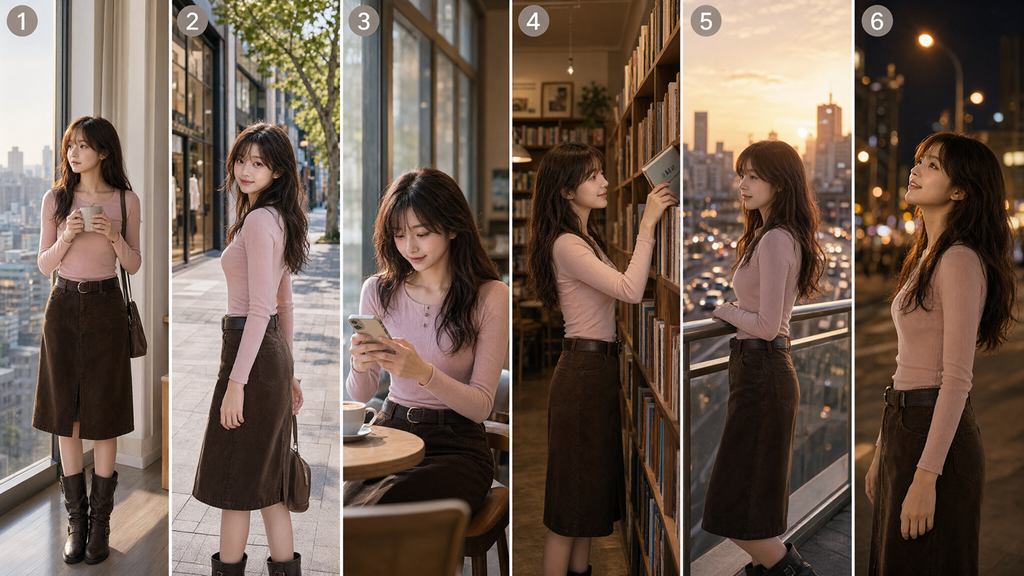
Qwen-Image-2.1 is an image generation and editing model in the Qwen family. Unlike systems that separate image generation and editing into different models, Qwen has designed this release as a unified creation and editing system.
Its visual generation component contains 32 Single-Stream DiT layers and 7 billion parameters. Qwen says the architecture is optimized for efficient inference, particularly when multiple images are used as inputs.
The model is also natively capable of working with transparency. That means users can generate images with transparent backgrounds, edit transparent assets and extract subjects from ordinary RGB photographs as RGBA layers.
That makes Qwen-Image-2.1 particularly relevant to graphic design and asset creation, where transparent PNG-style elements are frequently needed.
Key Qwen-Image-2.1 Features
1. Native Transparent Image Generation
One of the most important upgrades is native transparency.
Users can prompt Qwen-Image-2.1 to generate transparent images rather than first creating an image on a solid background and removing the background afterward.
The model can also create compositions containing multiple transparent elements. Existing transparent images can be edited while retaining their transparent background, including modifications to text and subjects.
Another useful workflow is subject extraction. Given an RGB photograph, the model can extract the desired subject as an RGBA layer with transparency, making the asset easier to reuse in another design.
For designers, this turns transparency from a separate post-processing task into part of the generation workflow.
2. Support for Up to 10 Reference Images
Qwen-Image-2.1 can accept up to 10 reference images in a single workflow.
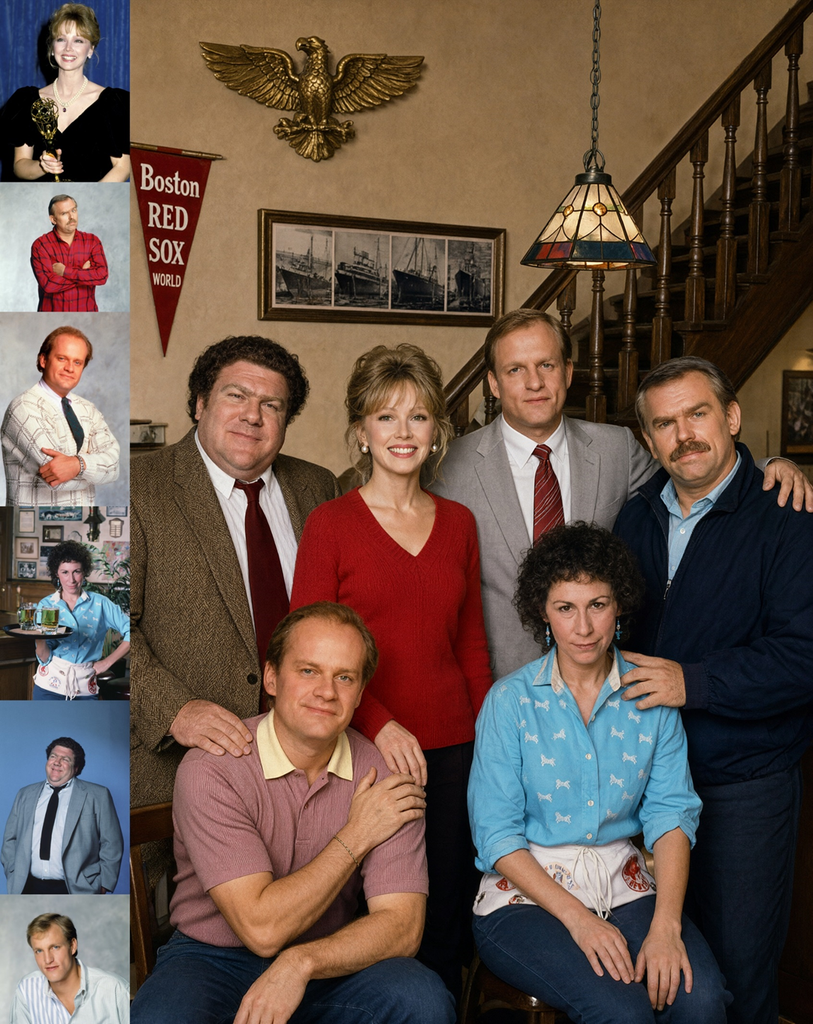
This allows creators to combine several people, products or objects into a new composition while retaining important visual characteristics.
Qwen demonstrates this capability with examples including a group portrait made from six individual portraits, a virtual try-on composition using five inputs and an interior design scene built from 10 furnishing references.
This could be particularly useful for commercial applications. A retailer, for example, could provide separate references for a model, clothing, accessories and other products instead of relying entirely on text prompts.
3. More Precise Local Editing
Qwen-Image-2.1 also provides several ways to tell the model exactly where an edit should happen.
Users can identify regions with colored circles, painted annotations or a separate mask. This allows different parts of an image to receive different instructions.
For example, a user could mark one region for removing an object, another for changing hair color and another for modifying clothing.
Separate masks are particularly useful when annotations would otherwise cover the original image.
The model also supports successive local edits, allowing creators to build up a scene through multiple changes while preserving other parts of the image.
Better Consistency for People and Products
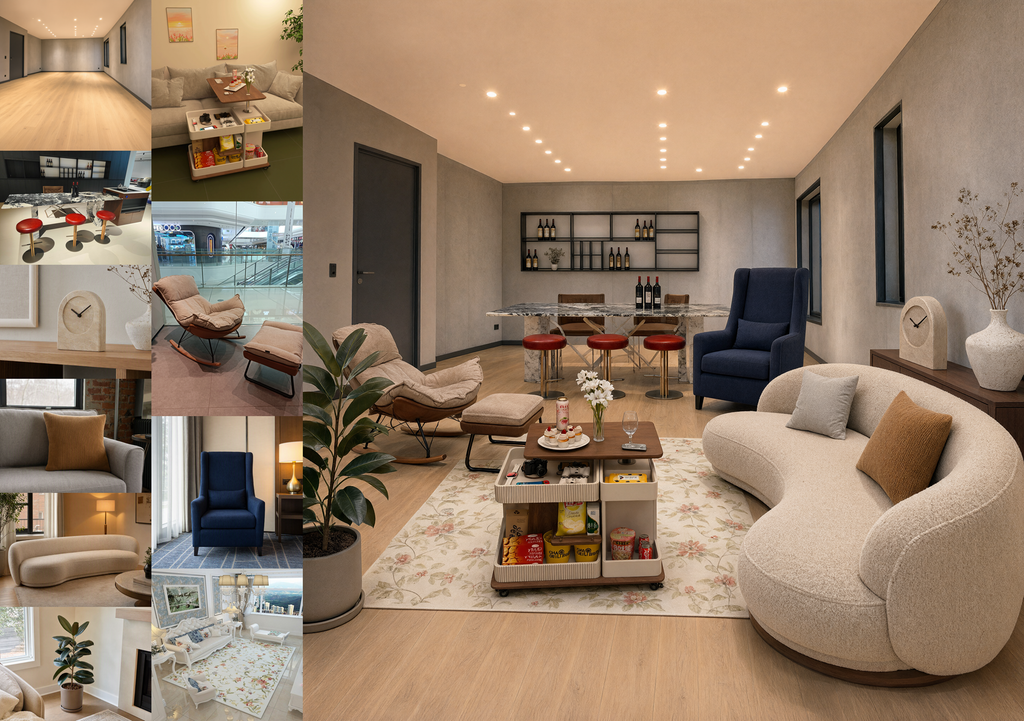
Image editing becomes considerably more useful when the subject remains recognizable after modifications.
Qwen says Qwen-Image-2.1 improves portrait identity preservation, helping maintain facial characteristics when a person’s appearance is edited.
The company also highlights product fidelity. The model is designed to preserve defining product characteristics such as text, textures and shape during edits.
This is important for commercial image generation because changing the identity of a product while editing its surroundings can make the resulting image unusable.
No generative model will preserve every detail perfectly in every scenario, but the focus on fidelity shows where Qwen is targeting the technology beyond casual image creation.
Better Text Rendering
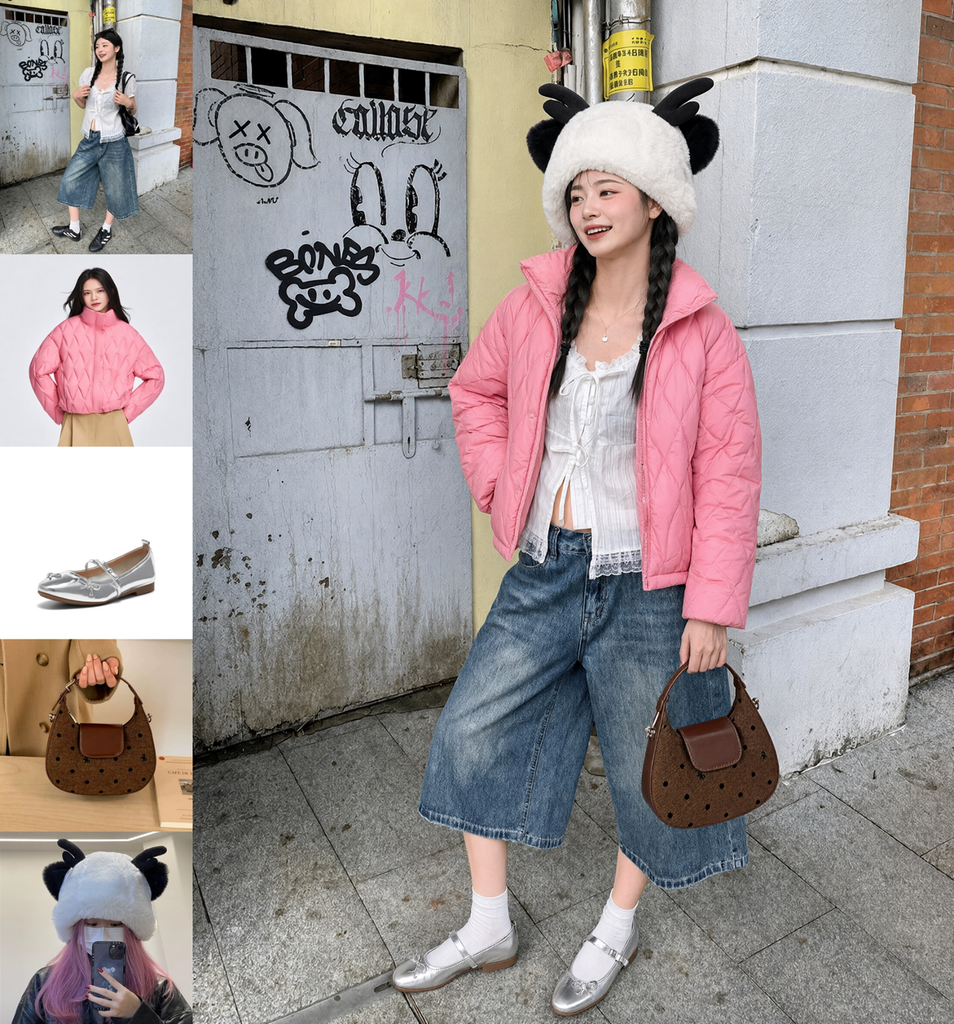
Text has traditionally been a difficult area for image generation models.
Qwen-Image-2.1 focuses on more than simply producing the requested words. Qwen says the model considers text content, typography, layout and the relationship between text and the rest of the composition.
That matters for posters, advertisements, infographics, social media graphics and other designs where readable text is part of the image rather than an afterthought.
The improvement does not eliminate the need to check generated text, but it makes the model more suitable for designs where typography is central to the final output.
Panoramas, Infographics and Storyboards
Qwen-Image-2.1 is not limited to conventional image generation.
The model supports workflows for panoramas, infographics and storyboards.
A photograph can be expanded into a panorama, while a model image can be transformed into a more detailed infographic. Qwen also demonstrates turning a three-view character reference into a complete storyboard for visual storytelling.
These features broaden the potential use cases from individual images to larger creative workflows.
How Qwen-Image-2.1 Improves Efficiency
The 7B visual generation component is only part of the efficiency story.
Qwen says the model uses a mixed-granularity attention architecture for multi-image editing. Text uses token-level causal masking, while image generation uses chunk-level masking.
The architecture also uses KV cache reuse. Input images and editing instructions can serve as static context, allowing them to be computed and cached during the initial step rather than repeatedly processed. Qwen says this approach improves inference efficiency and reduces memory usage.
For users working with multiple reference images, this is potentially more meaningful than model size alone.
Qwen-Image-2.1 vs Earlier Qwen Image Models
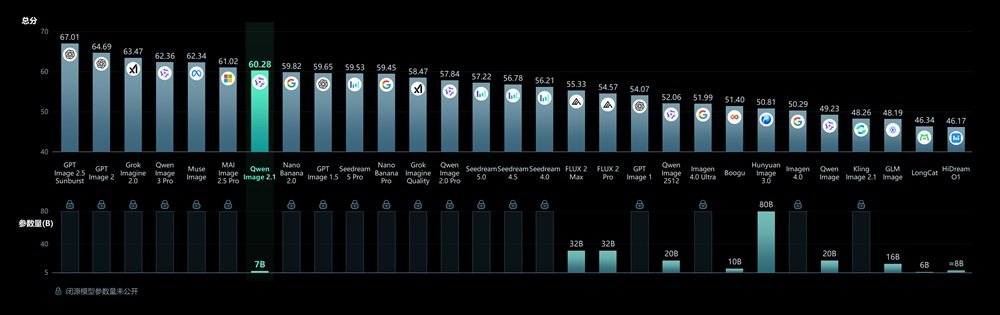
The biggest change is the consolidation of capabilities.
Earlier Qwen image models and specialized variants divided generation, editing and layered transparency into different workflows. Qwen-Image-2.1 brings these capabilities together.
Qwen previously introduced Qwen-Image-Layered in December 2025 specifically for transparent image generation. With Qwen-Image-2.1, transparency is integrated into the broader generation and editing system.
The result is a more unified workflow where users can generate an image, edit it, isolate a subject, modify a transparent layer and combine multiple references without necessarily switching between separate models.
Is Qwen-Image-2.1 Open Source?
Qwen describes Qwen-Image-2.1 as an open-source model, while FoneArena reports that it is available with open weights. It can also be tried through Qwen Studio.
For developers, open availability makes the model particularly interesting because it can be evaluated and integrated into workflows beyond a single hosted consumer application.
The practical requirements for running the model locally will depend on the implementation, hardware and optimization used, so the 7B parameter count should not be interpreted as a guarantee that it will run comfortably on every consumer PC.
What Makes Qwen-Image-2.1 Interesting?
Qwen-Image-2.1 stands out because it treats image generation and image editing as parts of the same workflow.
Its combination of a 7B visual generation component, native transparency, support for up to 10 reference images, local editing and improved people and product fidelity gives it a broad range of potential applications.
For designers, transparent asset generation could be one of the most practical additions. For e-commerce teams, product consistency and multi-reference composition may matter more. For content creators, storyboards, panoramas and image editing provide a wider creative toolkit.
The model is not simply about generating a picture from a text prompt. It is designed to handle the editing and composition tasks that often come after the initial image is created.
Final Takeaway
Qwen-Image-2.1 is a significant expansion of Qwen’s image-generation platform, combining generation, editing and transparency in a single 7B visual generation component.
Its support for up to 10 reference images and region-specific editing gives users considerably more control, while improvements to typography, portraits and product fidelity target some of the practical weaknesses of generative image tools.
The most interesting aspect may ultimately be the unified workflow. Instead of treating image generation, editing, transparency and composition as separate jobs, Qwen-Image-2.1 brings them together in one model.
For developers and creative professionals looking for an open-weight image model with broader editing capabilities, Qwen-Image-2.1 is a release worth watching.